
For garment factories · In development
Every machine.One clear view.
A small station at each sewing machine records every garment as it arrives and leaves. A small computer in the factory turns those records into one live view of the floor.
Preparing for our first factory pilot.
Inspired by M31, the Andromeda galaxy
Why not a tablet?
Tracking a sewing line often means a tablet at every machine, and tablets bring problems of their own. There’s a simpler way.
The station · Current prototype
A few buttons, a scanner and a light.
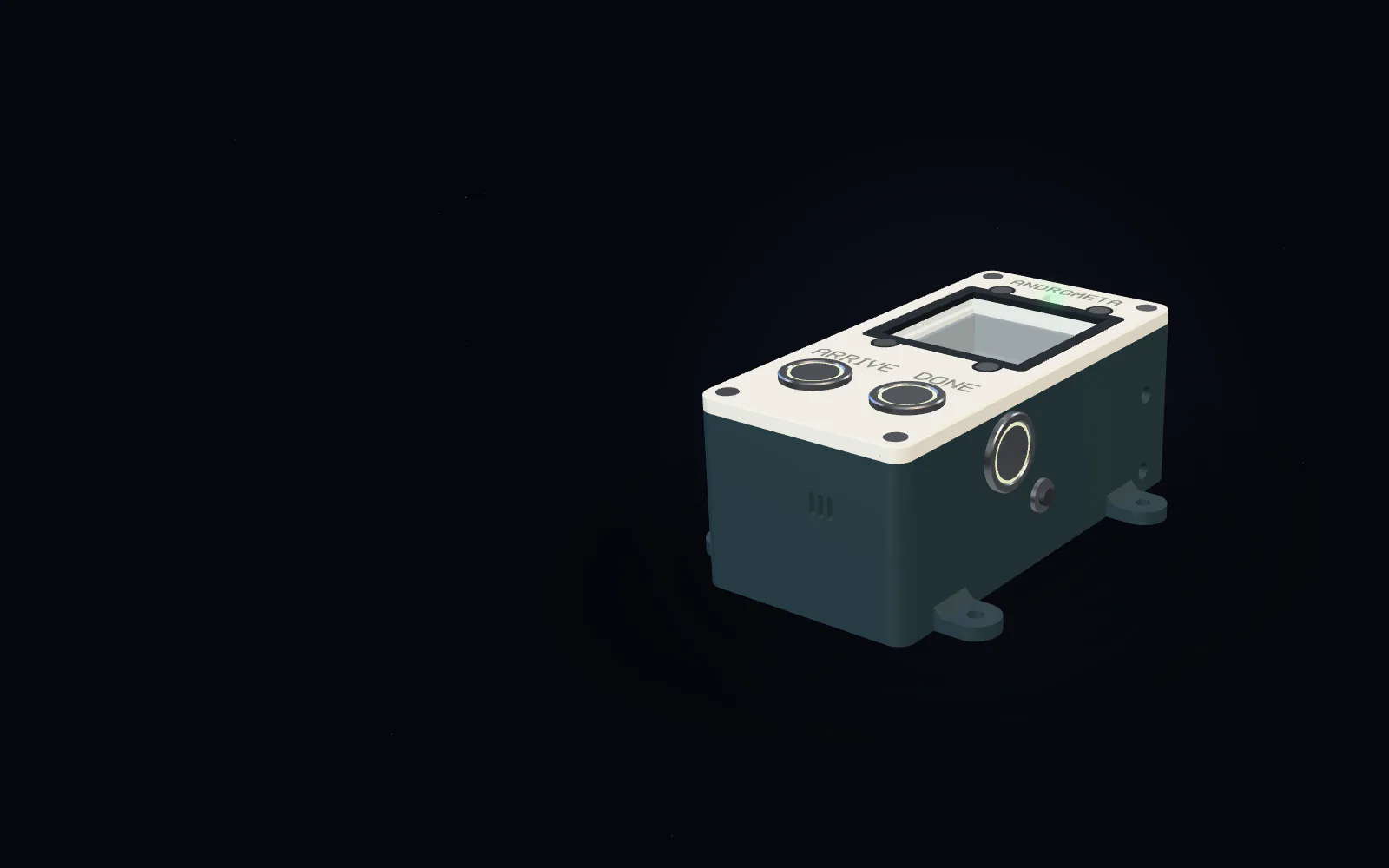
Here is the station we’re building, taken apart step by step, and how it compares with a tablet. It’s a render of our prototype design, so details will change before the pilot.
Skip the station story


Render of our prototype design. Subject to change.
One station per machine.
It sits beside the sewing machine and records each garment as it arrives and leaves. The current prototype is 3D-printed and measures 66 × 134 × 54 mm.
In view: Overall size: 66 × 134 × 54 mm (width × length × height)
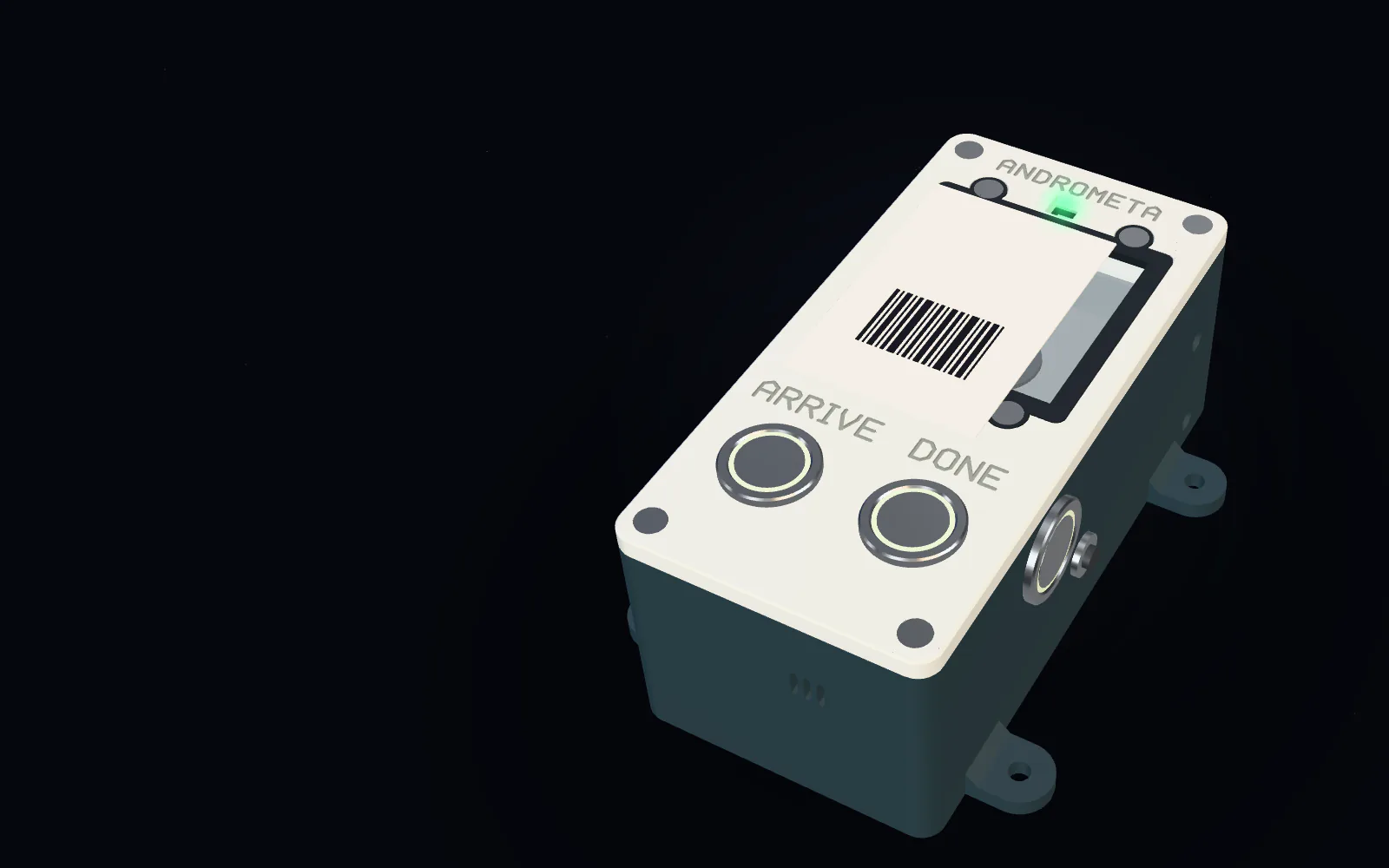
Press, scan, confirmed.
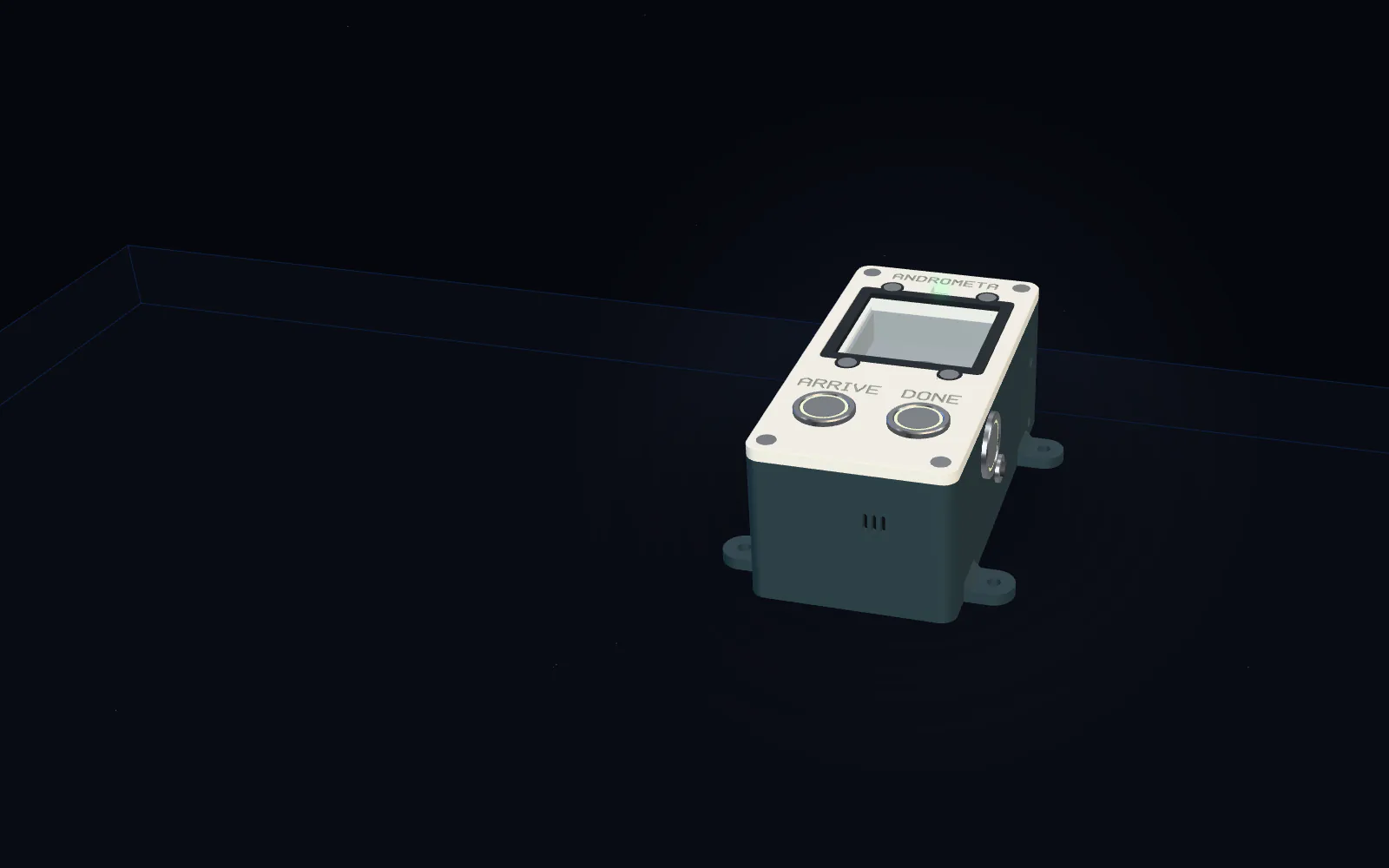
The operator presses ARRIVE or DONE and holds the garment’s tag over the window. The light turns green only once the Factory Manager, a small computer in the factory, has the scan. Until then, the station keeps it safe.
BREAK marks a break; REVERT undoes the last scan.
In view: ARRIVE · DONE · Scanner · Status light · BREAK and REVERT
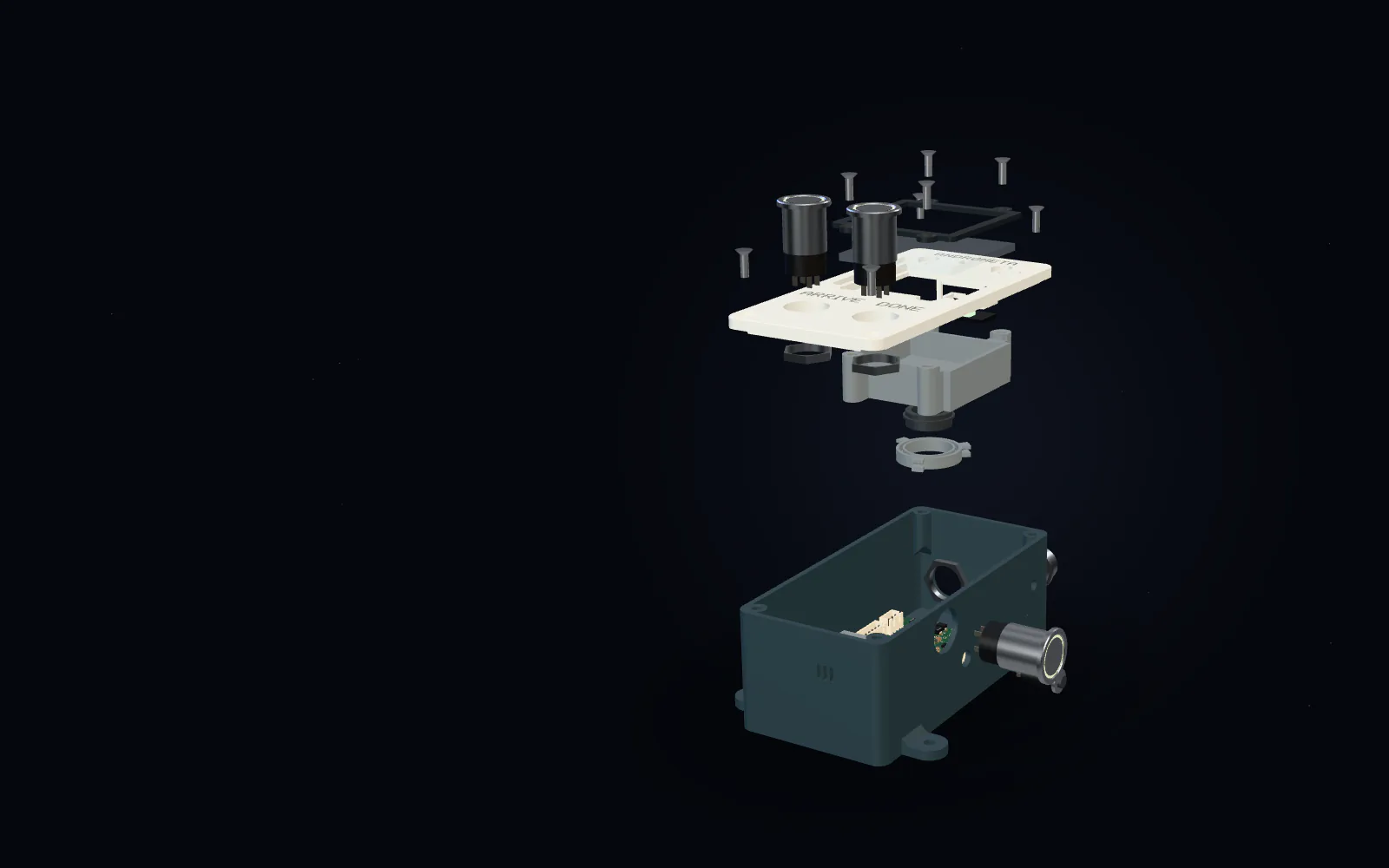
Open it up.
Six 3D-printed parts. The scanner sits 12 mm below a clear 50 mm window, held by a ring that releases it with a 45° twist. The side buttons and the sockets on the back each come out on their own.
In view: Lid · Window and frame · Scanner · Twist-lock ring · BREAK and REVERT
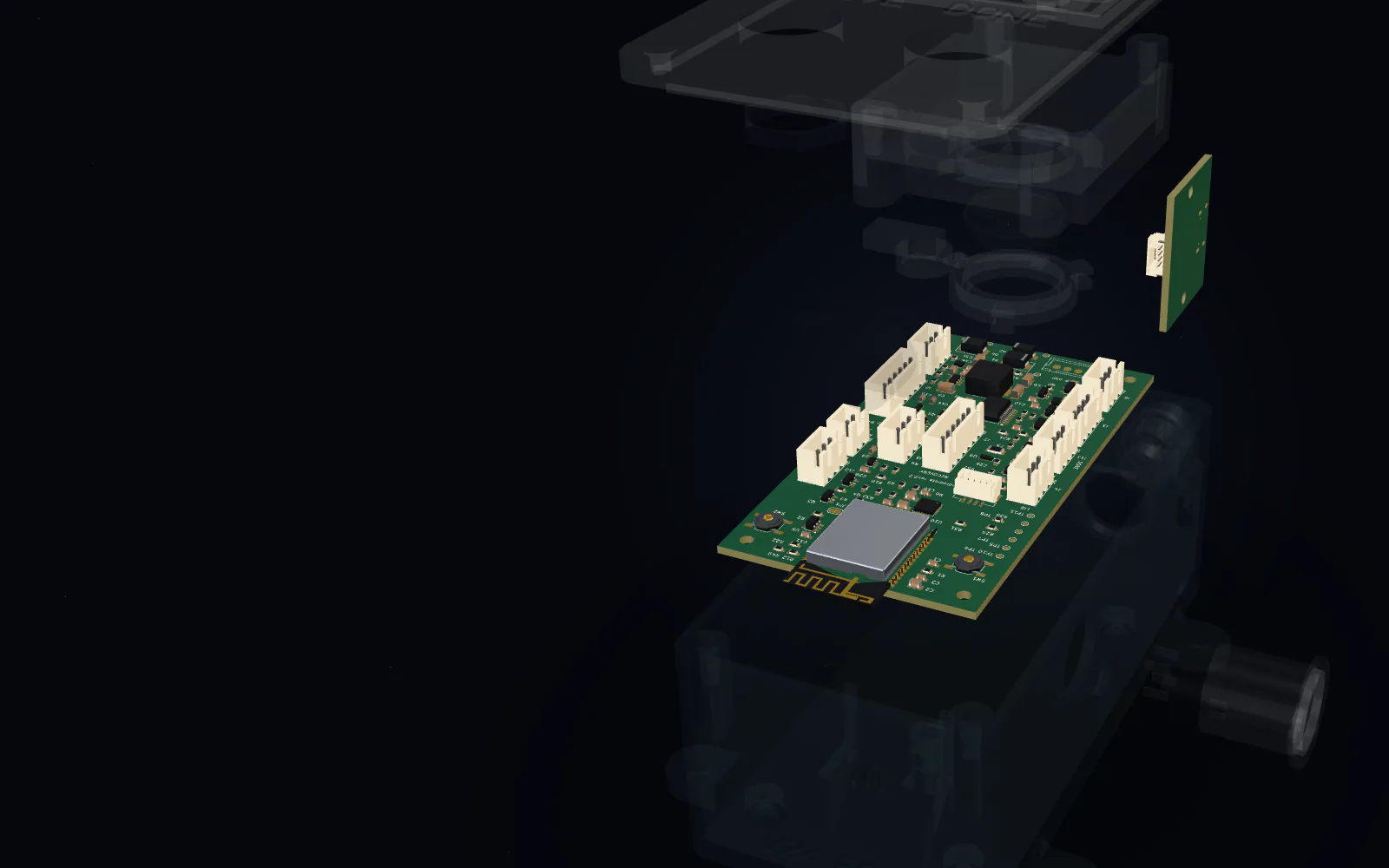
The electronics.
At the station’s heart is a small, basic microcontroller with built-in Wi-Fi. For the pilot it sits on a ready-made board. Shown here is our own earlier board design: every part has its own plug, so the lid is designed to come away with just four.
We’re redesigning our own board for this microcontroller. It hasn’t been made yet.
In view: Microcontroller · Lid plugs (4) · Power and sensor plugs · Service port
At the machine.
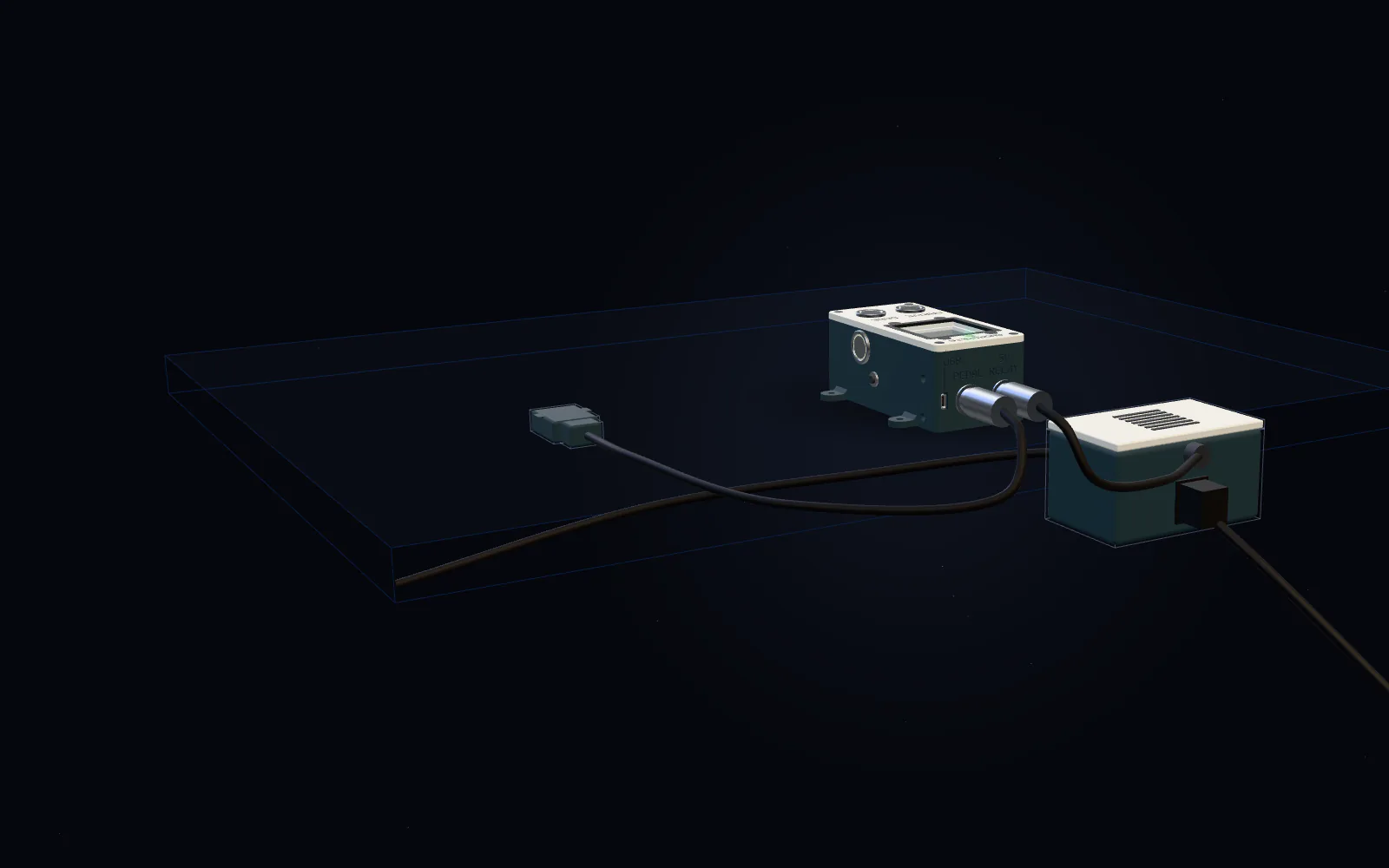
The machine plugs into a power box under the table, cabled to the station. A small sensor notices when the machine runs. Together they’re designed to measure how long each machine actually sews, and to switch it off if it runs with no garment scanned, until one is scanned or a supervisor unlocks it.
This is built and tested in simulation; it hasn’t run on a real machine yet. The layout shown is illustrative.
In view: Power box · Machine socket · Pedal sensor · Power cable
The usual way · Illustrative
A tablet needs looking after.
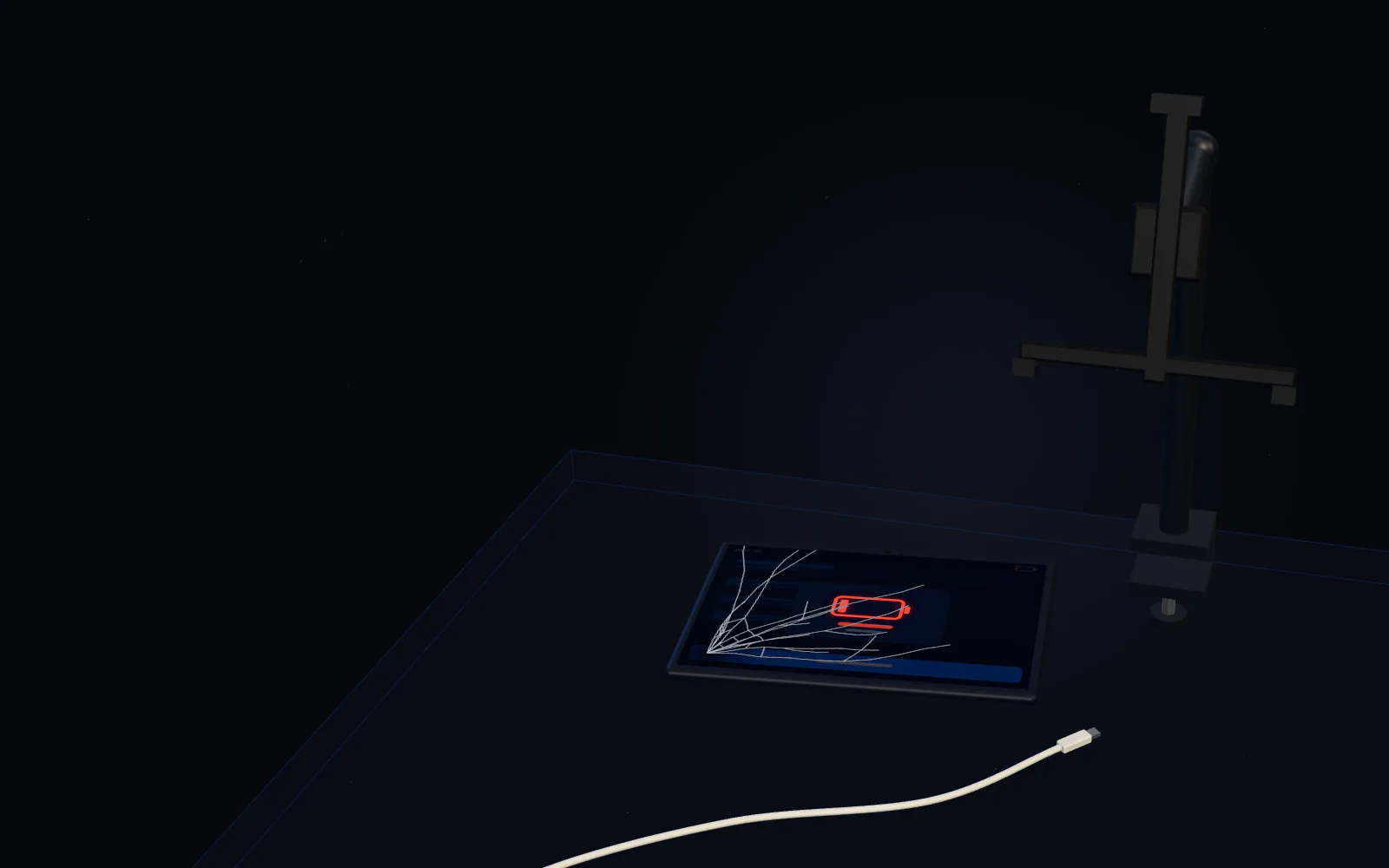
Connecting a machine usually means a tablet on an arm. Every tablet needs charging, so a cable often trails across the table, and a flat battery can stop work. A knock can send it off its mount, and a dropped screen can crack.
Illustrative. Tablet setups vary.
In view: Low battery · Cracked screen · Arm mount · Charger cable
Our way
No battery to charge. No screen to crack.
The station has no battery, so there’s nothing to charge: it stays plugged in. There’s no screen, just physical buttons and a built-in scanner. And it’s fixed beside the machine, screwed down or clamped to the table edge.
In view: No battery · No screen · Fixed in place
Side by side
What sits at each machine.
| Typical tablet setup | Andrometa station | |
|---|---|---|
| How operators use it | Tap through an app, and scan with the camera or an add-on scanner | Press ARRIVE or DONE, then hold the tag over the built-in scanner |
| Power | A battery to charge, with a charger and cable at every machine | No battery to charge or run flat. It stays plugged in |
| Fixing in place | An arm or a stand | Screw-down feet or a clamp on the table’s edge |
| The sewing machine | Usually not connected | A small sensor notices when the machine runs, and the power box can hold it until a garment is scannedDesigned, but not yet tried on a real machine |
| Updates | App and system updates, often through extra management software | Software updates sent from the company portal |
Illustrative comparison. The Andrometa column describes the current prototype design; tablet setups vary.
The station at a glance
66 × 134 × 54 mm
The size of the current prototype
4 buttons
ARRIVE, DONE, BREAK and REVERT
50 mm window
Hold a tag over it to scan
No battery
It stays plugged in
How it works
From each machine to the whole company.
Every station reports to the Factory Manager, a small computer inside the factory. The company portal looks after every factory from one place.
- 01
Station
At each sewing machine
Operators press ARRIVE or DONE and scan the garment’s tag. Each scan is saved on the station first and kept until the Factory Manager confirms it, so a Wi-Fi drop doesn’t lose work.
- 02
Factory Manager
A small computer in each factory
It gathers what every station records and gives supervisors a live view of the floor.
- 03
Company portal
Online · in pilot
Approves new stations, sets who can see what, and sends software updates to a few stations first, pausing if anything goes wrong.
Progress
Where things stand.
Andrometa is still in development. We’re getting ready for our first pilot in a real factory, and making it reliable and secure comes first.
- Station casePrototype design, version 25
- Station software and Factory ManagerVersion 1.0, the first version that brings every piece together
- In designThe station’s circuit boardBeing redesigned for its new ESP32-C6 microcontroller; a ready-made board stands in until then
- NowCompany portalRunning as a pilot
- NextFirst factory pilotGetting ready
We update this list as each piece moves forward.